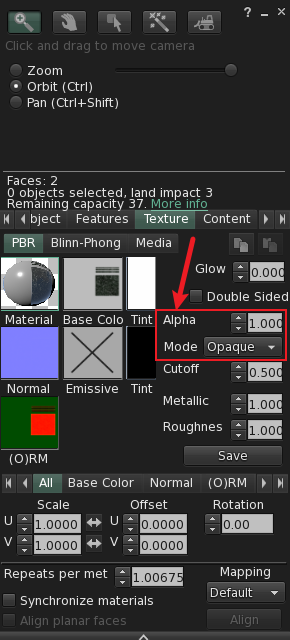
This node is used to set the transparency and Alpha mode of PBR materials. Through this node, we can adjust the transparency value and select the corresponding Alpha mode for the material.
Inputs
MenuItem - Menu item.
Outputs
None
Node Properties
PrimTag -
The unique identifier for this object is PrimTag. When a
model is composed of multiple linked prims, each prim's description
must include a PrimTag formatted as ez:xxxxx; (starting
with ez: and ending with ;), enabling
scripts to accurately locate target prims for operations. This field
may be left empty for single-prim models.
Face - specified face. Select a face from the dropdown list.
Alpha - Transparency. This parameter is used to set the transparency of the material. The transparency range is 0-1, where 0 indicates fully transparent and 1 indicates fully opaque.
AlphaMode - Alpha Mode: This parameter is used to set the Alpha mode of the material. The following options are available: