AutoPrimTag & Inspector
1. Automatically Add PrimTag
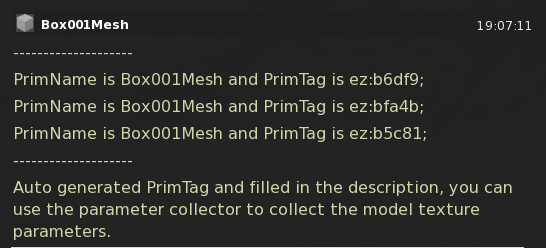
If your model is composed of multiple prims, you need to add an identifier in the description field of each prim in the format ez:xxxxx; (starting with ez: and ending with ;).
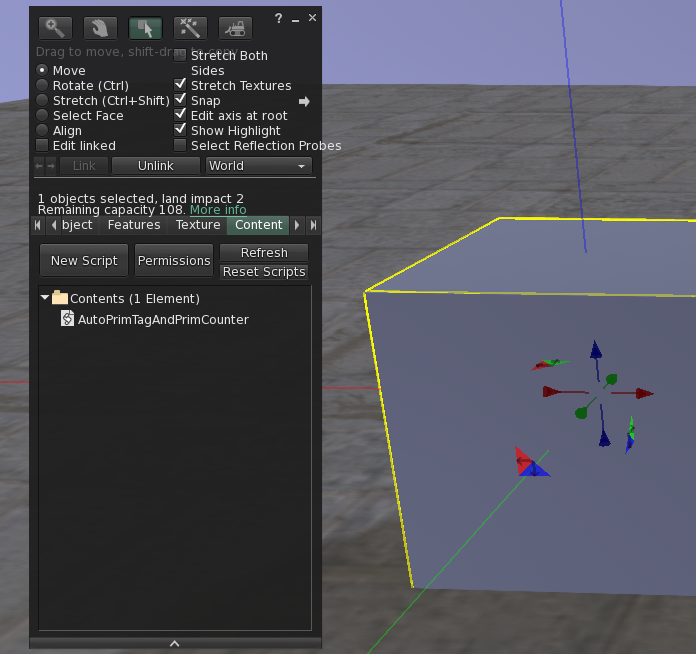
The script includes an automatic PrimTag addition feature. You can find the AutoPrimTag & Inspector script in the 1.AutoPrimTag folder. Place this script into your model to automatically add PrimTags to each linked object.
2. Retrieve Model Information
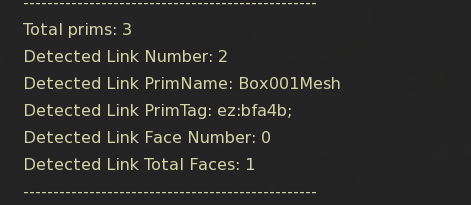
In addition to automatically creating and adding PrimTags, this script helps you quickly identify each prim in the model, making subsequent operations easier. Place the script into the model and click on the model. The script will automatically output the following information for each prim in the Nearby Chat:
- Total prims: The total number of prims in the model.
- Detected Link Number: The link number of the clicked prim.
- Detected Link PrimName: The name of the clicked prim.
- Detected Link PrimTag: The PrimTag of the clicked prim.
- Detected Link Face Number: The face number of the clicked prim.
- Detected Link Total Faces: The total number of faces of the clicked prim.